
Let’s be honest. Your average gaming session isn’t a tidy thirty-minute sitcom. It’s a sprawling epic—a “Lord of the Rings” marathon, but with more questionable chat dialogue and snack breaks. Buried within that epic are the scenes worth remembering.
This isn’t about filming. It’s about forensic recovery. We’re talking about sifting through the sedimentary layers of your VOD to find the clip-worthy gold. Was it the perfectly timed headshot that defied physics? Or the moment your reaction became a new meme template?
Every second counts. But as any fan knows, following live esports events teaches us that the real magic is in the replay, the analysis, the highlight. We apply that same lens here.
Think of yourself not just as a player, but as the director and editor of your own highlight reel. The goal is curation. It’s moving beyond raw footage to craft a compelling story arc—one that showcases skill, personality, and those deliciously shareable moments.
Because every play tells a story. Your job is to tell it better. This is the first, critical step in building a content library that does more than just exist. It demands attention.
Editing Basics
Forget the auteur theory; today, you’re more like a factory worker. You’re putting together short clips from digital pieces. It’s not about waiting for inspiration. It’s about following a process.
First, you import your footage. This is like preparing a marble block for a sculptor. Tools like Kapwing or Canva make this easy. But the real work starts when you put the media in the timeline.
Then, you start cutting. This is key to making social content watchable. You’re looking for the exact moment something exciting happens. Or when it ends. The split tool is your tool for precision.
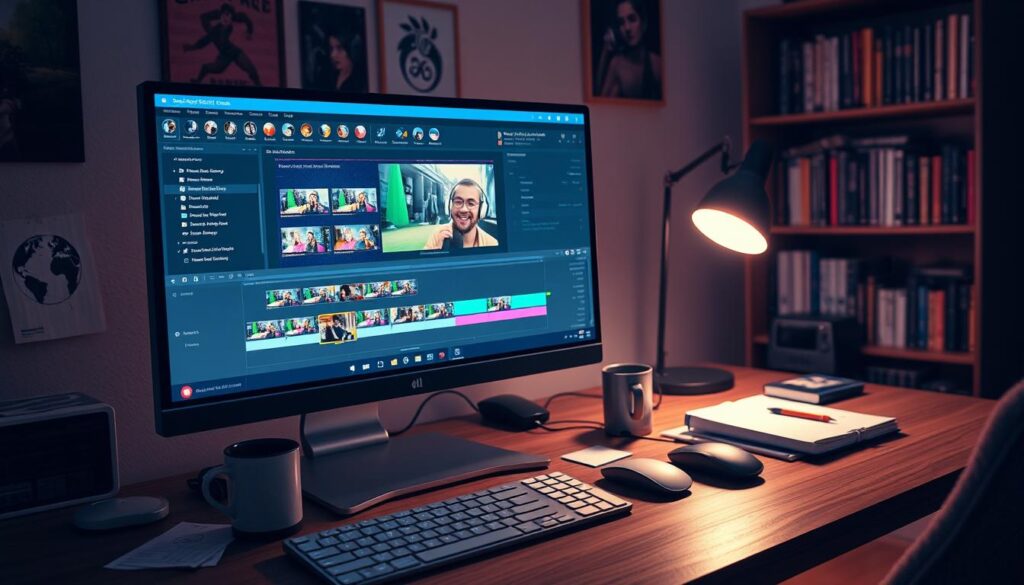
AI is your best helper here. It removes awkward pauses and dead air. It’s like having a 1970s film editor in your browser, saying “tighten it up.”
Next, you remove gaps. This makes your video flow smoothly. It’s all about feeling professional and intentional.
Now, you add personality to your social content. A slow-motion shot, a zoom, or a text overlay can make a big difference. It’s all about adding that extra touch.
Music is also important. Using royalty-free tracks can set the mood. It tells the viewer how to feel before they see anything.
Custom effects like spot shadows and color grading are your final touches. They guide the viewer’s eye. A spotlight effect says, “Look here, this is important.”
After that, you preview your work. Watch it several times to check if it feels right. Then, export it in the right format for your platform.
This whole process is made easier by AI-powered editing. It turns long videos into short, engaging social content. You’re not just editing. You’re crafting attention-grabbing content.
The magic is in the sequence of steps. You transform raw footage into something polished for the scroll. That’s the magic of editing.
Promoting on Twitter, TikTok, Instagram
Promotion is more than just sharing; it’s about fitting into different conversations. You’ve made a strong visual argument. Now, you need to pick where to share it. Is it Twitter’s fast-paced debates, TikTok’s vibrant shows, or Instagram’s stylish galleries?
Each platform has its own culture and rules. Learning these can turn a good clip into something widely shared.
Twitter is like a debate arena. Your clip is a visual punch or a stunning moment. It’s often shared with text that explains its significance. This text is like your clip’s lawyer, arguing for its importance.
On Twitter, you might share a clip with a question or a shout-out. This text is key to making your clip stand out. It’s like crafting a meme for the public eye.
TikTok is all about trends and sounds. Your clip needs to catch a viral trend. A clip with great timing and music can go viral. TikTok loves vertical videos, so make sure your clips fit this format.
Instagram Reels are all about style and polish. Your clip should look good and fit your brand. Use a Content Planner to post when your audience is most active. Instagram is for sharing your best moments in a stylish way.
| Platform | Core Vibe | Clip Strategy | Text/Context | Tool Tip |
|---|---|---|---|---|
| Twitter (X) | Debate Hall / Colosseum | Visual evidence or punchline. Short, impactful clips under 60s. | Text is key. Use questions, tags, and hot takes to frame the clip. | Use direct upload. Pair with a poll or question for max engagement. |
| TikTok | Sensory Carnival | Trend-jacking. Sync clips to viral audio. Hook in first 3 seconds. | Minimal. Let the visual and audio do the talking. Use trending hashtags. | Ensure 9:16 vertical format. Use built-in editor for effects and text. |
| Instagram Reels | Curated Gallery | Aesthetic storytelling. Polished, themed clips that fit your brand. | Clever captions that complement the vibe. Focus on aesthetics. | Schedule posts with Content Planner. Use Instagram’s native editing suite. |
The goal is no longer just to be seen. It’s to make your content spread. A clip on Twitter might lead to a coaching offer. On TikTok, it could start a trend. On Instagram, it can enhance your brand. The tools are there to share across all three platforms. The challenge is to create unique content for each platform. Now, let’s talk about what happens after the likes roll in.
Leveraging Clips for Growth
Your gaming highlights are more than just fun. They hold strategic value. Think of that perfect headshot or an impossible comeback as valuable assets. These clips are like money in the attention economy.
College recruiters and brand scouts look for standout reels. They want to see skill and personality. Your highlights act as a dynamic resume. They show you can perform well and be entertaining.
Start seeing your clips as proof of your worth. Organize your best moments. Pin them to your profile. Use them in sponsorship pitches. Your top esports broadcasting content proves your consistent performance.
That 1.9 billion monthly viewing hours is real. It means eyes could be on your career highlights. In a $1.79 billion market, your clips are valuable. They can lead to guest spots, featured roles, and partnerships. Your highlights are your business plan.